What is Ïàíåëü çàïóñêà ïðèëîæåíèé Chrome.lnk?
Ïàíåëü çàïóñêà ïðèëîæåíèé Chrome.lnk is usually located in the 'c:\users\%USERNAME%\appdata\roaming\microsoft\windows\start menu\programs\google chrome\' folder.
Some of the anti-virus scanners at VirusTotal detected Ïàíåëü çàïóñêà ïðèëîæåíèé Chrome.lnk.
If you have additional information about the file, please share it with the FreeFixer users by posting a comment at the bottom of this page.
Vendor and version information [?]
Ïàíåëü çàïóñêà ïðèëîæåíèé Chrome.lnk does not have any version or vendor information.
Digital signatures [?]
Ïàíåëü çàïóñêà ïðèëîæåíèé Chrome.lnk is not signed.
VirusTotal report
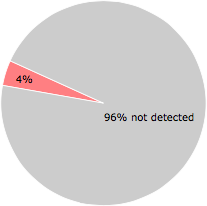
2 of the 56 anti-virus programs at VirusTotal detected the Ïàíåëü çàïóñêà ïðèëîæåíèé Chrome.lnk file. That's a 4% detection rate.
| Scanner | Detection Name |
|---|---|
| CAT-QuickHeal | LNK.Worm.Vobfus.2 |
| Kaspersky | HEUR:Trojan.WinLNK.StartPage.gena |
Ïàíåëü çàïóñêà ïðèëîæåíèé Chrome.lnk removal instructions
The instructions below shows how to remove Ïàíåëü çàïóñêà ïðèëîæåíèé Chrome.lnk with help from the FreeFixer removal tool. Basically, you install FreeFixer, scan your computer, check the Ïàíåëü çàïóñêà ïðèëîæåíèé Chrome.lnk file for removal, restart your computer and scan it again to verify that Ïàíåëü çàïóñêà ïðèëîæåíèé Chrome.lnk has been successfully removed. Here are the removal instructions in more detail:
- Download and install FreeFixer: http://www.freefixer.com/download.html
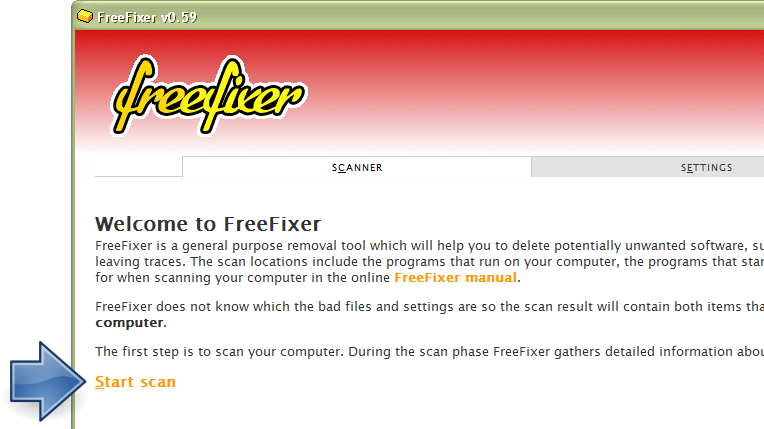
- Start FreeFixer and press the Start Scan button. The scan will finish in approximately five minutes.
- When the scan is finished, locate Ïàíåëü çàïóñêà ïðèëîæåíèé Chrome.lnk in the scan result and tick the checkbox next to the Ïàíåëü çàïóñêà ïðèëîæåíèé Chrome.lnk file. Do not check any other file for removal unless you are 100% sure you want to delete it. Tip: Press CTRL-F to open up FreeFixer's search dialog to quickly locate Ïàíåëü çàïóñêà ïðèëîæåíèé Chrome.lnk in the scan result.



 c:\users\%USERNAME%\appdata\ro..