What is fnr.exe?
fnr.exe is part of fnr.exe and developed by ENTech Solutions according to the fnr.exe version information.
fnr.exe's description is "fnr.exe"
fnr.exe is usually located in the 'c:\users\%USERNAME%\desktop\' folder.
Some of the anti-virus scanners at VirusTotal detected fnr.exe.
If you have additional information about the file, please share it with the FreeFixer users by posting a comment at the bottom of this page.
Vendor and version information [?]
The following is the available information on fnr.exe:
| Property | Value |
|---|---|
| Product name | fnr.exe |
| Company name | ENTech Solutions |
| File description | fnr.exe |
| Internal name | fnr.exe |
| Original filename | fnr.exe |
| Legal copyright | Copyright © 2011 |
| Product version | 1.0.0.0 |
| File version | 1.0.0.0 |
Here's a screenshot of the file properties when displayed by Windows Explorer:
| Product name | fnr.exe |
| Company name | ENTech Solutions |
| File description | fnr.exe |
| Internal name | fnr.exe |
| Original filename | fnr.exe |
| Legal copyright | Copyright © 2011 |
| Product version | 1.0.0.0 |
| File version | 1.0.0.0 |
Digital signatures [?]
fnr.exe is not signed.
VirusTotal report
1 of the 72 anti-virus programs at VirusTotal detected the fnr.exe file. That's a 1% detection rate.
| Scanner | Detection Name |
|---|---|
| APEX | Malicious |

Hashes [?]
| Property | Value |
|---|---|
| MD5 | 13b2e421b4a868e93f656aa99b5b9dc2 |
| SHA256 | 9e88f7c8f2fcf77342fa1e76464bd8295652331304a5e080c8b294bbcbe9d8d9 |
Error Messages
These are some of the error messages that can appear related to fnr.exe:
fnr.exe has encountered a problem and needs to close. We are sorry for the inconvenience.
fnr.exe - Application Error. The instruction at "0xXXXXXXXX" referenced memory at "0xXXXXXXXX". The memory could not be "read/written". Click on OK to terminate the program.
fnr.exe has stopped working.
End Program - fnr.exe. This program is not responding.
fnr.exe is not a valid Win32 application.
fnr.exe - Application Error. The application failed to initialize properly (0xXXXXXXXX). Click OK to terminate the application.
What will you do with fnr.exe?
To help other users, please let us know what you will do with fnr.exe:
What did other users do?
The poll result listed below shows what users chose to do with fnr.exe. 33% have voted for removal. Based on votes from 3 users.
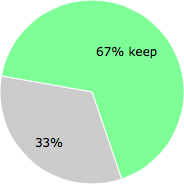
NOTE: Please do not use this poll as the only source of input to determine what you will do with fnr.exe. Only 3 users has voted so far so it does not offer a high degree of confidence.
Malware or legitimate?
If you feel that you need more information to determine if your should keep this file or remove it, please read this guide.
And now some shameless self promotion ;)
 Hi, my name is Roger Karlsson. I've been running this website since 2006. I want to let you know about the FreeFixer program. FreeFixer is a freeware tool that analyzes your system and let you manually identify unwanted programs. Once you've identified some malware files, FreeFixer is pretty good at removing them. You can download FreeFixer here. It runs on Windows 2000/XP/2003/2008/2016/2019/Vista/7/8/8.1/10. Supports both 32- and 64-bit Windows.
If you have questions, feedback on FreeFixer or the freefixer.com website, need help analyzing FreeFixer's scan result or just want to say hello, please contact me. You can find my email address at the contact page.
Comments
Please share with the other users what you think about this file. What does this file do? Is it legitimate or something that your computer is better without? Do you know how it was installed on your system? Did you install it yourself or did it come bundled with some other software? Is it running smoothly or do you get some error message? Any information that will help to document this file is welcome. Thank you for your contributions.
I'm reading all new comments so don't hesitate to post a question about the file. If I don't have the answer perhaps another user can help you.
FNR is great, with a few limits... I recently spread the word about its power among a world wide community, because it almost does all that we need.
This morning did a search of 1800+ folders with many many, ok many, tens of digital object definitions files in under four seconds. I work with many generations of data bases, representing 20 years of evolution of the Trainz simulator game evolution, most of which is backwards compatible. The 1800+ 'assets' represents one data subgroup folder kept in editable (and altered, upgraded forms) to ease porting between generational installs. Such 'open source' data folders are assets which needed adjustment for newer retail releases... often of numbers within one configuration file to compliment those in one or more others.
I edit a how-to on the product and keep all major simulator versions as 'installs' all the way back to the earliest (2000!) release upgrades. At any one time I have multiple FNR windows open on each of all three (also generational!) computers arranged in a U inside my workspace. Its a bit crowded. <g>
Several related shortcomings in FNR from my viewpoint...
A) I'm still trying to figure out which REGEX standard or whatnot it is built to. I can say the same about Notepad++, my other workhorse, and the two complement each other nicely.
B) It has very narrowly limited MRU behavior
\ b1 --search folder recalls last folder open when closed, and current (last viewed/used) folder pathspec when opened after a running version. But that's it. No drop down list of several places last visited.
\ b2 -- All that also applies to the search for box, it remembers over a close, the current search by the last active instance, and no ability to go to any other base addy.
\ b3 -- Replace box is a big ditto...
C) SIZES -- search and replace windows are over generous in most respects, it's unclear whether they support multi-line operations, and the overall footprint is overly large at the minimum need. No corner dragging/resizing with this App! OTOH, it launches and acts blazingly fast and efficiently--did I mention using it extensively in many conversion batch files... basically you barely note any time added... I can blame the half an eye blink 'I might be noticing, or imagining...' on Windows, and probably be more on target!
D) I could wish for these special features:
1) Filename, foldername SAR ability including just folder-tree search for part of a title. Windows can sort of do this, but clutters things more often than not, and kills the context window, so the results are often masking what else I need to refer to--the condition or title triggering the search in all likelihood.
1b) Ability to SAR before and after a middle in such file/folder spec names... capability like a REGEX in those same titles, and replace that middle... e.g. delete one punctuation for another glyph. e.g. replace a ',' or ';' with a period, dash, or other such.
Second, I would really love some REGEX capability to see around line breaks to the next closing quote. If the text block is paragraphs, neither FNR, nor NOTEPAD++ are capable of finding that close-quote where I want to append a change note... a revision entered on a batch of files which I never open, because the tool software does it from my REGEX.
Bottom Line, if you have a need to search multiple files or a folder hierarchy with those files for a conditional string, this is a great little utility. Even if you have to manually make your edit once the files have been found, this thing finds them, then serves up each for such a sequential edit. When it finds a file it offers to open such in the default editor or the option of opening the containing folder. Your pick, your win!
# 7 May 2020, 21:23
FrankB writes