What is pfnfd_1_10_0_8.sys?
pfnfd_1_10_0_8.sys is part of Phrase Finder Driver x86 and developed by Phrase Finder according to the pfnfd_1_10_0_8.sys version information.
pfnfd_1_10_0_8.sys's description is "Phrase Finder Driver x86"
pfnfd_1_10_0_8.sys is digitally signed by PHRASEFINDER.
pfnfd_1_10_0_8.sys is usually located in the 'C:\Windows\system32\drivers\' folder.
Some of the anti-virus scanners at VirusTotal detected pfnfd_1_10_0_8.sys.
If you have additional information about the file, please share it with the FreeFixer users by posting a comment at the bottom of this page.
Vendor and version information [?]
The following is the available information on pfnfd_1_10_0_8.sys:
| Property | Value |
|---|---|
| Product name | Phrase Finder Driver x86 |
| Company name | Phrase Finder |
| File description | Phrase Finder Driver x86 |
| Internal name | pfnfd.sys |
| Original filename | pfnfd.sys |
| Comments | Compiled: 2015-01-21T19:41:46Z. Configuration: Release |
| Legal copyright | Copyright (C) 2015 |
| Product version | 1.10.0.8 |
| File version | 1.10.0.8 |
Here's a screenshot of the file properties when displayed by Windows Explorer:
| Product name | Phrase Finder Driver x86 |
| Company name | Phrase Finder |
| File description | Phrase Finder Driver x86 |
| Internal name | pfnfd.sys |
| Original filename | pfnfd.sys |
| Comments | Compiled: 2015-01-21T19:41:46Z. Conf.. |
| Legal copyright | Copyright (C) 2015 |
| Product version | 1.10.0.8 |
| File version | 1.10.0.8 |
Digital signatures [?]
pfnfd_1_10_0_8.sys has a valid digital signature.
| Property | Value |
|---|---|
| Signer name | PHRASEFINDER |
| Certificate issuer name | GlobalSign CodeSigning CA - G2 |
| Certificate serial number | 112137c4f7456ece3d7c3ea998e1558d1585 |
VirusTotal report
13 of the 57 anti-virus programs at VirusTotal detected the pfnfd_1_10_0_8.sys file. That's a 23% detection rate.
| Scanner | Detection Name |
|---|---|
| Agnitum | PUA.Popad! |
| Avira | Adware/Komodia.52728.1 |
| DrWeb | Adware.Popad.10 |
| ESET-NOD32 | a variant of Win32/NetFilter.A potentially unsafe |
| Jiangmin | AdWare/Vitruvian.c |
| McAfee | Artemis!A252F82CC58C |
| McAfee-GW-Edition | Artemis |
| NANO-Antivirus | Riskware.Win32.Vitruvian.dnpzum |
| nProtect | Trojan-Clicker/W32.Vitruvian.52728 |
| Symantec | WS.Reputation.1 |
| TrendMicro-HouseCall | Suspicious_GEN.F47V0131 |
| VBA32 | AdWare.Vitruvian |
| Zillya | Backdoor.CPEX.Win32.30054 |

pfnfd_1_10_0_8.sys removal instructions
The instructions below shows how to remove pfnfd_1_10_0_8.sys with help from the FreeFixer removal tool. Basically, you install FreeFixer, scan your computer, check the pfnfd_1_10_0_8.sys file for removal, restart your computer and scan it again to verify that pfnfd_1_10_0_8.sys has been successfully removed. Here are the removal instructions in more detail:
- Download and install FreeFixer: http://www.freefixer.com/download.html
- Start FreeFixer and press the Start Scan button. The scan will finish in approximately five minutes.
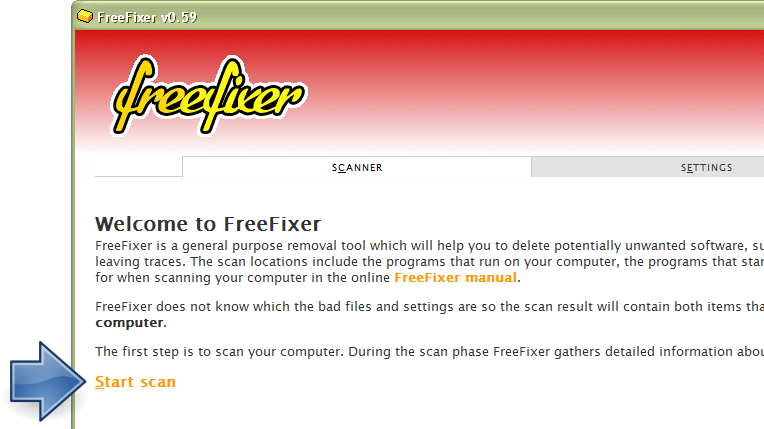
- When the scan is finished, locate pfnfd_1_10_0_8.sys in the scan result and tick the checkbox next to the pfnfd_1_10_0_8.sys file. Do not check any other file for removal unless you are 100% sure you want to delete it. Tip: Press CTRL-F to open up FreeFixer's search dialog to quickly locate pfnfd_1_10_0_8.sys in the scan result.



 C:\Windows\system32\drivers\pfnfd_1_10_0_8.sys
- Scroll down to the bottom of the scan result and press the Fix button. FreeFixer will now delete the pfnfd_1_10_0_8.sys file.

- Restart your computer.
- Start FreeFixer and scan your computer again. If pfnfd_1_10_0_8.sys still remains in the scan result, proceed with the next step. If pfnfd_1_10_0_8.sys is gone from the scan result you're done.
- If pfnfd_1_10_0_8.sys still remains in the scan result, check its checkbox again in the scan result and click Fix.
- Restart your computer.
- Start FreeFixer and scan your computer again. Verify that pfnfd_1_10_0_8.sys no longer appear in the scan result.
Hashes [?]
| Property | Value |
|---|---|
| MD5 | a252f82cc58c917d0c114a57269c3a0b |
| SHA256 | f88ec2e55b5ce8a4734097e219240242747d54d8dc9a099bae357dd6b050c2d9 |
What will you do with the file?
To help other users, please let us know what you will do with the file:
What did other users do?
The poll result listed below shows what users chose to do with the file. 0% have voted for removal. Based on votes from 3 users.
| Votes | |||
|---|---|---|---|
| Keep | 100 % | 3 | |
| Remove | 0 % | 0 |
Comments
Please share with the other users what you think about this file. What does this file do? Is it legitimate or something that your computer is better without? Do you know how it was installed on your system? Did you install it yourself or did it come bundled with some other software? Is it running smoothly or do you get some error message? Any information that will help to document this file is welcome. Thank you for your contributions.
I'm reading all new comments so don't hesitate to post a question about the file. If I don't have the answer perhaps another user can help you.
andreas writes