This page shows how to remove neomaxsrv.com from Mozilla Firefox, Google Chrome and Internet Explorer.
Did you just see neomaxsrv.com in the status bar of your browser or in the nework log and wonder where it came from? Or did neomaxsrv.com show up while you searched for something on one of the big search engines, such as the Google.com search engine?
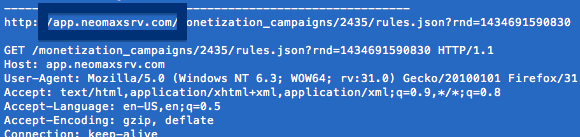
Here is a screen-cap on neomaxsrv.com from my system when it showed up in the network log:
The following are some of the status bar messages you may see in your browser’s status bar:
- Waiting for neomaxsrv.com…
- Transferring data from neomaxsrv.com…
- Looking up neomaxsrv.com…
- Read neomaxsrv.com
- Connected to neomaxsrv.com…
If this description sounds like what you are seeing, you most likely have some potentially unwanted program installed on your computer that makes the neomaxsrv.com domain appear in your web browser. Contacting the owner of the site you were browsing would be a waste of time. They are not responsible for the neomaxsrv.com status bar messages. I’ll try help you with the neomaxsrv.com removal in this blog post.
Those that have been following this blog already know this, but here we go: A little while back I dedicated some of my lab machines and purposely installed a few potentially unwanted programs on them. I’ve been following the behaviour on these machines to see what kinds of ads, if any, that are displayed. I’m also looking on other interesting things such as if the potentially unwanted program auto-updates, or if it downloads additional software on the computers. I first found neomaxsrv.com in Mozilla Firefox’s status bar on one of these lab systems.
neomaxsrv.com resolves to the 50.63.202.44 address and app.neomaxsrv.com to 69.16.175.42. neomaxsrv.com was registered on 2015-05-18. I’ve also seen logs.neomaxsrv.com in use.
So, how do you remove neomaxsrv.com from your web browser? On the machine where neomaxsrv.com showed up in the statusbar I had istartsurf, Movie Wizard and MedPlayerNewVersion installed. I removed them with FreeFixer and that stopped the browser from loading data from neomaxsrv.com.
The issue with status bar messages like this one is that it can be caused by many variants of potentially unwanted programs, not just the potentially unwanted program that’s installed on my system. This makes it impossible to say exactly what you need to remove to stop the status bar messages.
So, what can be done? To remove neomaxsrv.com you need to examine your machine for potentially unwanted programs and uninstall them. Here’s my suggested removal procedure:
- What software do you have installed if you look in the Add/Remove programs dialog in the Windows Control Panel? Something that you don’t remember installing yourself or that was recently installed?
- How about your web browser add-ons. Anything in the list that you don’t remember installing?
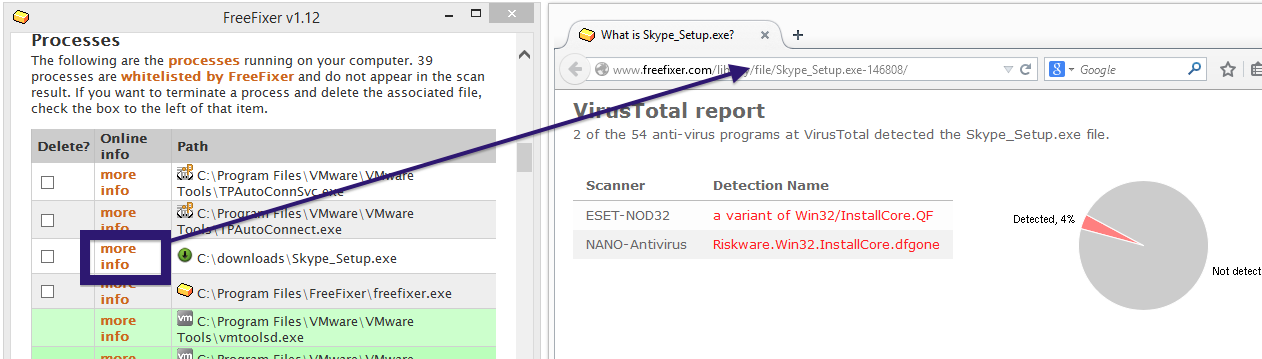
- If that did not help, you can give FreeFixer a try. FreeFixer is built to assist users when manually tracking down potentially unwanted programs. It is a freeware utility that I’ve been working since 2006 and it scans your machine at lots of locations where unwanted software is known to hook into your machine. If you would like to get additional details about a file in FreeFixer’s scan result, you can just click the More Info link for that file and a web page with a VirusTotal report will open up, which can be very useful to determine if the file is safe or malware:

An example of FreeFixer’s “More Info” links. Click for full size.
Did you find any potentially unwanted program on your machine? Did that stop neomaxsrv.com? Please post the name of the potentially unwanted program you uninstalled from your machine in the comment below.
Thank you!